Find any entry in seconds
Quick Search brings fast entry navigation to your Craft CMS control panel. Search and access your content instantly.
Powerful features for content editors
Everything you need to navigate your Craft CMS content efficiently
Quick Access Overlay
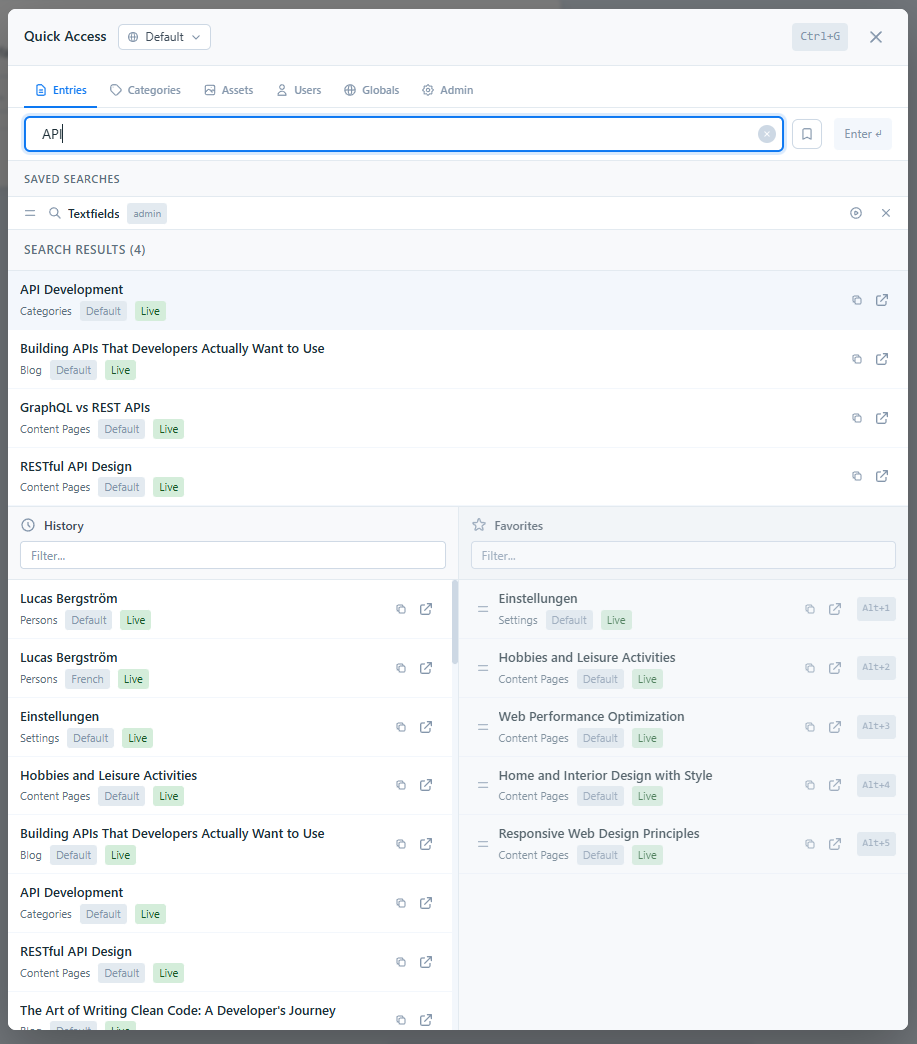
Press Ctrl+G to open a full-screen overlay with search, history, favorites, and saved searches — all keyboard-driven.
Universal Search
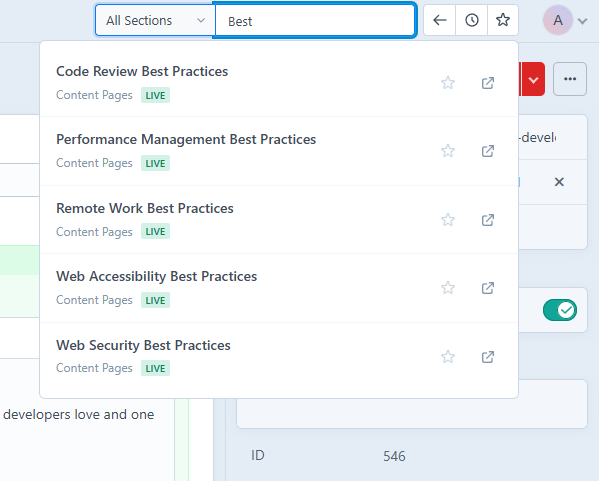
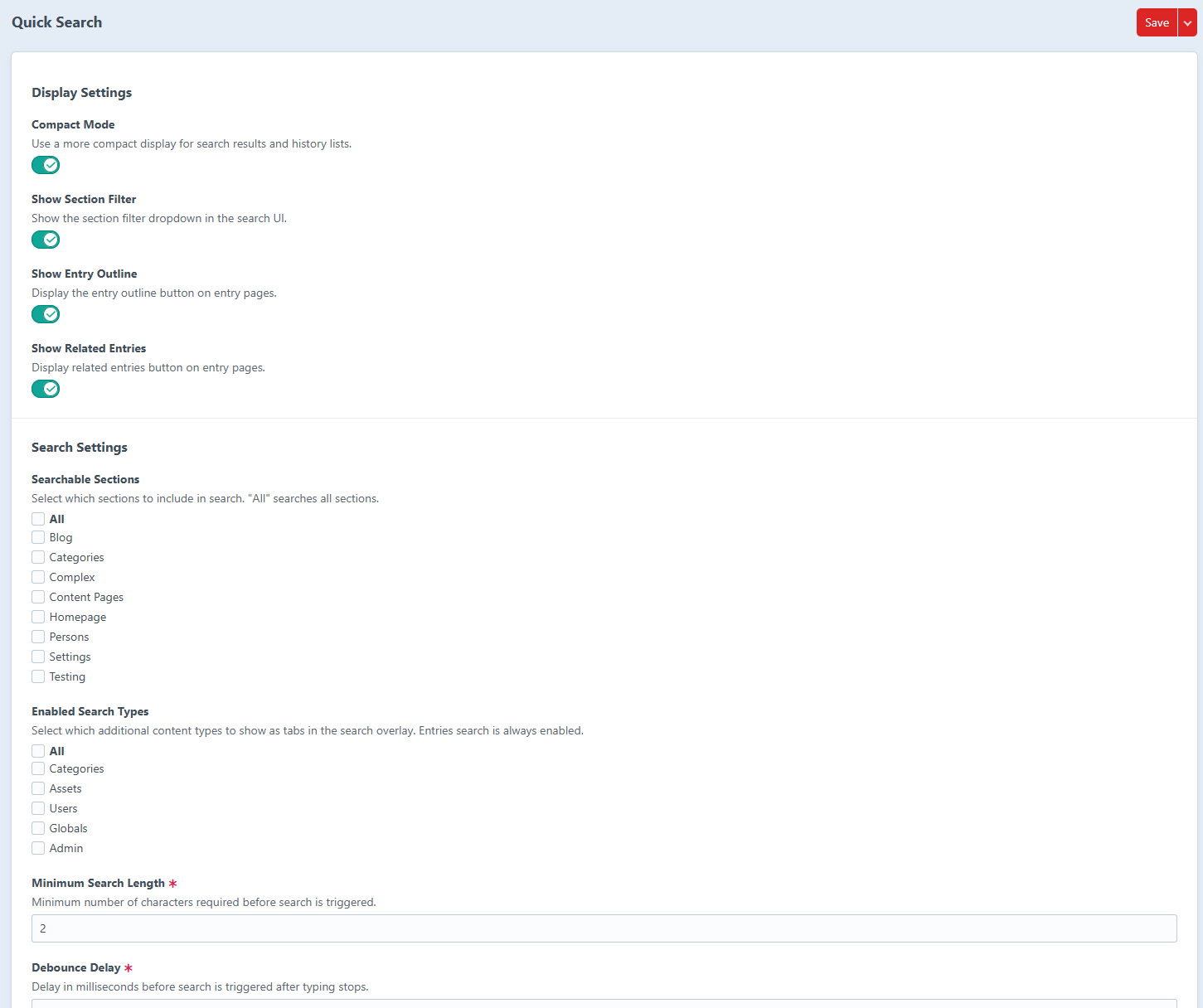
Search entries, categories, assets, users, globals, and admin elements. Use prefixes like u: or a: to switch types on the fly.
Section & Site Filtering
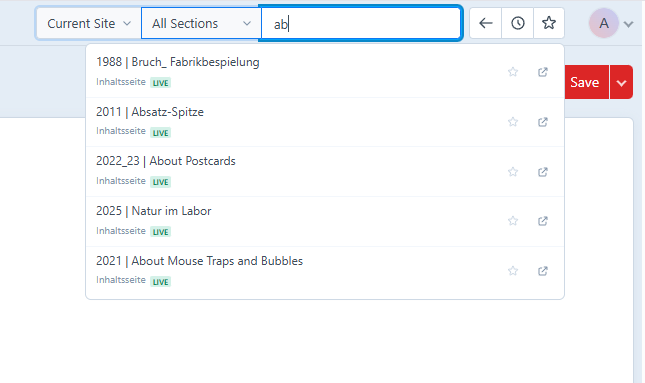
Filter results by section with include/exclude modes. Full multi-site support with site selectors in both the header bar and overlay.
History & Favorites
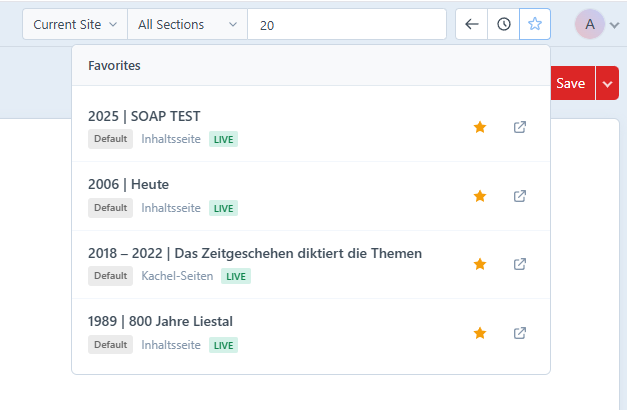
Auto-tracked browsing history and starred favorites with instant filtering. Jump to your first 9 favorites with Alt+1 through Alt+9.
Saved Searches
Bookmark your most-used queries for one-click access. Saved searches remember the query text and search type, and can be reordered.
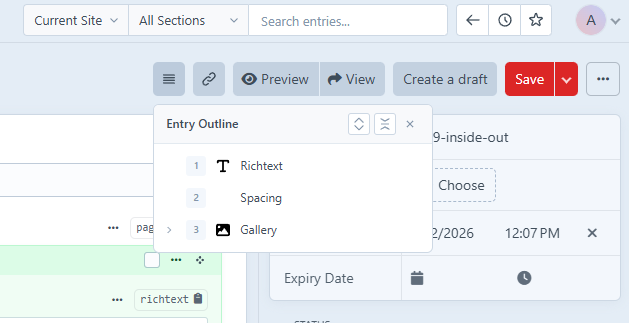
Entry Outline
View a hierarchical outline of all fields and Matrix blocks on long entries. Click any item to scroll directly to it.
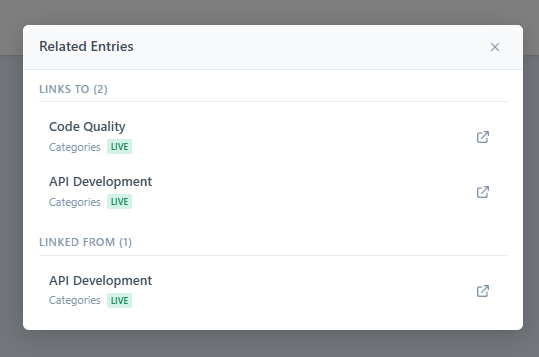
Related Entries
See which entries link to the current one and which ones it references. Discover content relationships across your site.
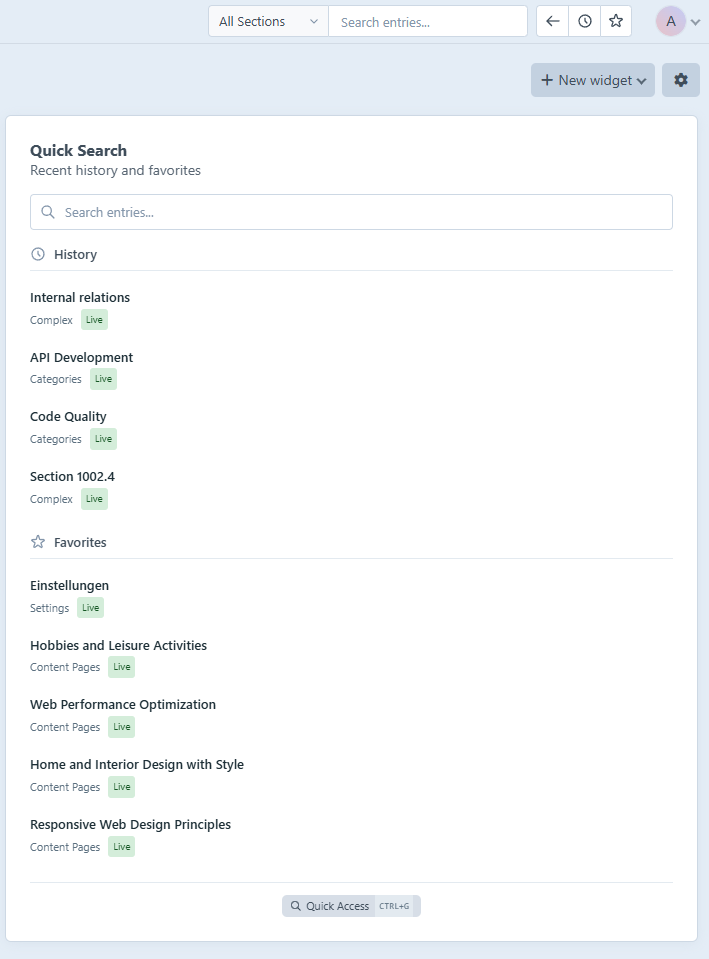
Dashboard Widget
Add a Quick Search widget to your Craft dashboard with search, history, and favorites — right on your home screen.
20 Languages
Fully translated into 20 languages including English, French, German, Spanish, Japanese, Chinese, and more.
See it in action
A clean, intuitive interface that fits seamlessly into Craft CMS
Easy installation
Get up and running in minutes
Install via Composer
composer require yannkost/craft-quick-search
Activate the plugin
Go to Settings → Plugins in your Craft Control Panel and click "Install" next to Quick Search.
Start searching
Click the search input in the CP header and start finding your entries instantly!
Requirements
- Craft CMS 5.0 or later
- PHP 8.2 or later
Keyboard shortcuts
Navigate like a pro with keyboard support
Ready to supercharge your workflow?
Install Quick Search today and find your content faster than ever.
Get Quick Search